
The 15-Minute Podcast Readiness Check That Saves Hours in Post-Production
Last month, a corporate client arrived at Podcast Studio Glasgow for what should have been a straightforward interview recording. Great guest, solid content, professional team. Ten minutes in, their guest looked up at our BlackMagic cameras and froze mid-sentence.
"Wait, this is being filmed?"
Our client hadn't mentioned it. The guest had prepared for an audio-only conversation—casual, relaxed, no concern about appearance or body language. Now they were visibly panicking, checking their hair, adjusting their posture, asking if we could start over.
We didn't need to re-record. But we did need to stop, reassure the guest, and rebuild their confidence. What should have been a smooth 45-minute session became 90 minutes of careful energy management.
All because one item on a checklist got skipped: guest briefing.
After 20 years and hundreds of recordings, I've learned that podcast disasters aren't dramatic. They're mundane. A guest who didn't know the format. A heating system that kicks on mid-sentence. A phone that should have been on airplane mode. A hard drive that fails.
Here's the checklist that prevents all of it.
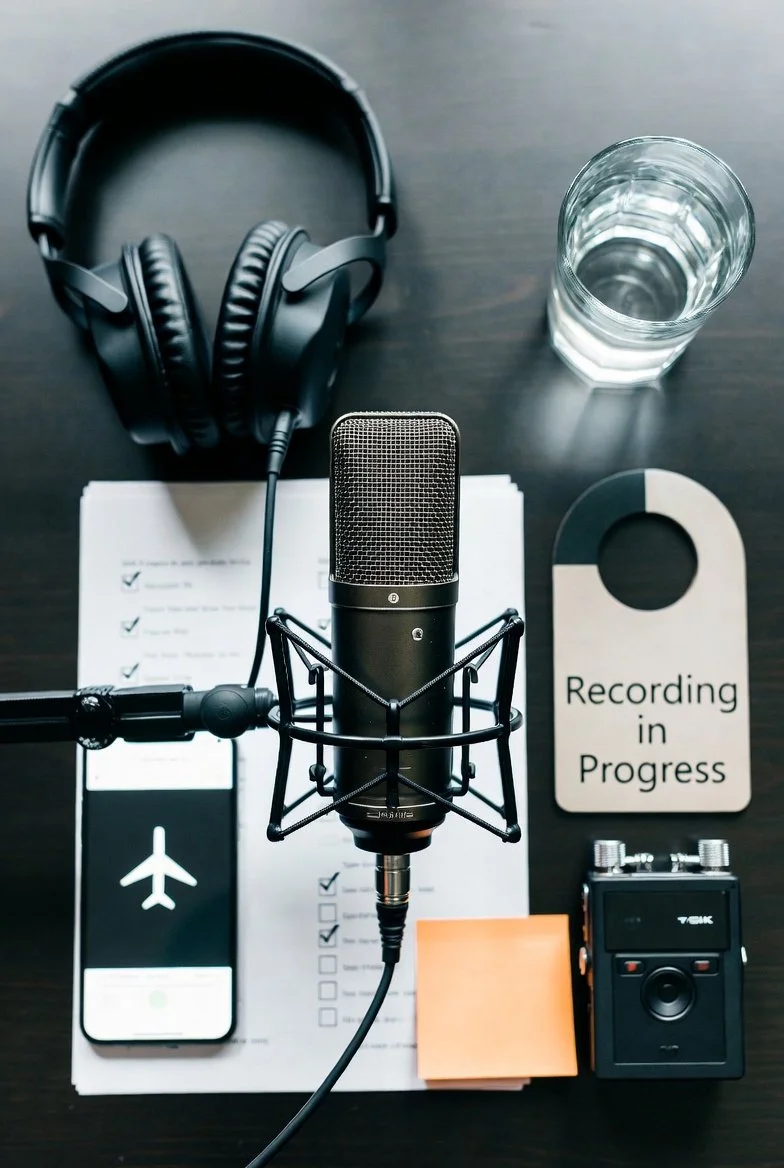
Pre-Recording: Technical
Audio environment check
Walk your recording space and listen. Actually listen. Is the heating running? Can you hear traffic? Is a refrigerator humming in the next room? Turn off what you can control. Note what you can't. If you're recording at home and the neighbour starts mowing their lawn, you'll need to stop and wait. Better to know this before you hit record.
Microphone positioning
Your mic should be one fist-width from your mouth, positioned slightly off to the side (not directly in front). This prevents plosive sounds from words like "production" and "podcast" from popping. If you're doing video, make sure the mic doesn't block your face. We use boom arms at PSG to solve this, but if you're using a desk stand, angle it at 45 degrees.
Recording levels test
Have everyone speak at their normal volume and watch your meters. You want peaks hitting between 12dB and -6 dB. Too quiet, and you'll have noise issues when you boost it later. Too loud and you'll get distortion you can't fix. Record 30 seconds, play it back, adjust if needed.
“Should you wear headphones? It’s a good idea, it helps keep you focused on how you sound, whether you’re talking to quickly or not, but we get it - they don’t always look great on video.”
Pre-Recording: Content
Guest briefing completed
Your guest should know three things before they arrive: how long the recording will take, what topics you'll cover, and what format you're using (audio only, video, or both). Send this 48 hours before. Not the day before. People need time to mentally prepare. If there's video involved, they need to know so they can dress appropriately and feel confident on camera.
Question framework prepared
You don't need a script, but you need a map. Five to seven questions maximum for a 30-minute interview. Write them as open-ended prompts, not yes/no questions. "Tell me about your approach to..." works better than "Do you use this method?"
Run-of-show timing mapped
Know your segment lengths. Intro: 2 minutes. First topic: 8 minutes. Second topic: 12 minutes. Closing: 3 minutes. This keeps you on track and prevents the dreaded 90-minute recording you have to edit down to 20.
Emergency contact gathered
Get your guest's mobile number. If they're recording remotely, get a backup contact method. Technical problems happen. You need a way to reach them that doesn't rely on the same system you're using to record.
Day-of Essentials
Water (room temperature, no ice clinking)
Everyone needs water within reach. Room temperature is best because cold water tightens vocal cords. No ice because the clinking will ruin your audio. Pour it before you start recording. Open bottles make noise.
Phone on airplane mode
Not silent. Not do-not-disturb. Airplane mode. Even on silent, phones emit RF interference that microphones can pick up. That buzzing sound just before someone gets a call? That's what you're preventing. Every phone, every participant.
Backup recording device running
SD cards sometimes get corrupted. Software crashes. Computers freeze. Always run a backup recorder. At PSG, we run redundant systems on every session. If you're at home, use your phone as backup. Press record, set it down, forget about it. You'll probably never need it, but the one time you do, you'll be grateful.
"Recording" sign visible
If you're in an office or shared space, people will walk in. They always do. Put a sign on the door. Text your family. Do whatever it takes to ensure nobody interrupts you 15 minutes into your best take.
The PSG 72-Hour Rule
We've found that preparation follows a natural timeline. Rushing creates stress. Delay it, and you create chaos.
Content outline completed 72 hours before
This gives you time to think, revise, and feel confident. It also gives your guest time to prepare if you're sharing topics in advance.
Guest confirmation 48 hours before
A quick message: "Looking forward to recording on Tuesday at 2 pm. Here are the topics we'll cover..." This prevents no-shows and miscommunications.
Final tech check 24 hours before
Test your equipment. Update your software. Charge your batteries. Clear your memory cards. All the boring technical work should happen the day before, not five minutes before recording.
This checklist takes 15 minutes to complete. Skipping it can derail an entire session.
The math is simple.
At Podcast Studio Glasgow, we handle every item on this checklist during your session. You show up, we've already checked the audio environment, positioned the microphones, tested the levels, and prepared the backup systems. You focus on content. We focus on everything else.
Book your first session at £75/hour with no hidden costs. We'll walk you through this checklist in person, and you'll leave with broadcast-ready audio that didn't require damage control.